
Students can now use their phones to enter buildings, make purchases and move through campus with ease.
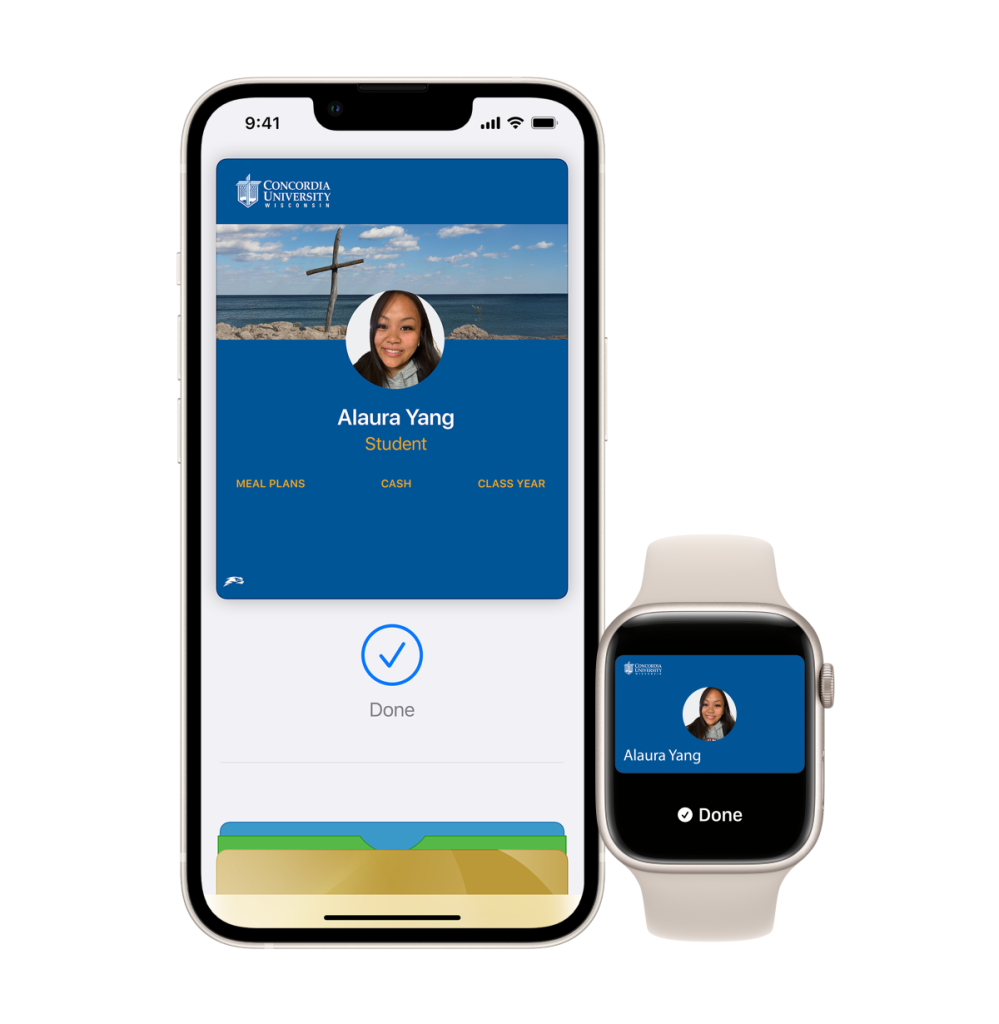
It’s early. You’re heading to class, beverage from the Coop in one hand, backpack over your shoulder. You reach the door and pause, digging through your bag for your Falcon OneCard.
You think, “It’s in there. It always is.”
By the time you find it, someone else has already tapped in and held the door. It’s a small moment, but it adds up. Now, it doesn’t have to.
Mobile ID allows students to add their campus identification directly to their phone. The access you rely on every day stays the same, but it fits more naturally into how you already move through campus.
“Tap-to-pay technology has become a standard part of how we interact and pay,” said Sean Young, director of unified communications and audio-video services. “This upgrade enhances the OneCard experience, aligning with today’s expectations and offering greater convenience for our community.”
Built for the way students move

As the day picks up, so does your pace. You move from class to class, stop at the cafeteria, attend a campus-wide event and head back to your residence hall before going out again.
Your phone is already part of that rhythm, always within reach.
Mobile ID fits into those in-between moments. There is nothing new to remember. Your ID becomes part of what you already carry.
For students living on campus, that difference shows up quickly. Late-night entry feels easier. Moving between buildings feels more seamless. The small pauses begin to fade.
Physical IDs are still available, but Mobile ID offers another option—one that meets you where you are.
Security that keeps up with you
Mobile ID is protected by the same security features you already use, including passcodes, fingerprint recognition or facial authentication.
If your phone is lost, access can be turned off quickly, giving you less to worry about and more control over what happens next.
“Mobile ID lives within Apple Pay and Google Wallet and is protected by the same industry-leading security protocols used to safeguard credit cards and payment information,” Young said. “This ensures OneCard accounts remain safe and secure.”
Getting started is straightforward
Adding Mobile ID is simple. Download the app, follow a few steps, and get started by watching the video.
The process varies slightly by device. iPhone users add their ID through Apple Wallet. Android users follow a similar path through Google Wallet.
After that, it becomes part of your routine:
- Tap to enter.
- Tap to pay.
- Tap and keep moving.
“Students have long used the 360u app to upload photos, add funds and check balances,” said Young. “Bringing the physical card into a mobile format is a natural next step, offering greater convenience.”
He added: “With enhanced security features and seamless integration into Apple Pay and Google Wallet, Mobile ID makes accessing campus services easier and helps keep buildings more secure.”
A small change that shapes the day
By the end of the day, it is easy to forget the moments that once slowed you down—searching through your wallet, doubling back or waiting at a door. Now, your day moves with fewer interruptions, so you can focus on where you are going next.
Note: Mobile ID is available to students only.
Want in?
Concordia University Wisconsin is a Lutheran higher education community committed to helping students develop in mind, body and spirit for service to Christ in the Church and the world.